
Connection examples
Use these small examples to learn one action at a time. Names are illustrative; you can use equivalent nodes in your own graph.
Find an integer target
Section titled “Find an integer target”Start with an integer getter and an integer setter. Hover the getter’s output and press Alt+C. A compatible setter input receives the direct-connection indicator.
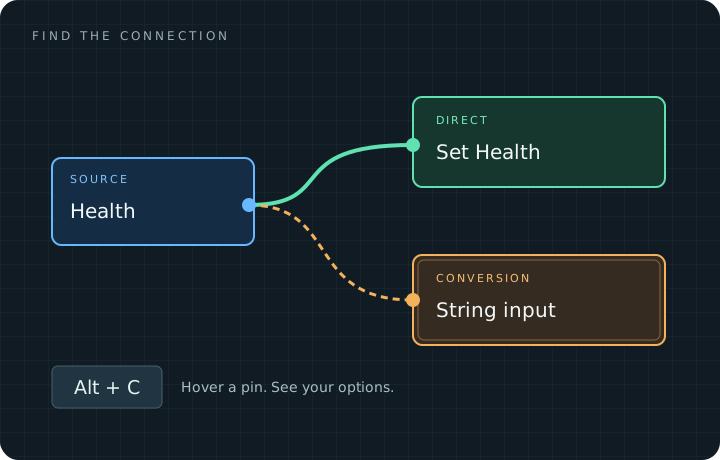
Conceptual diagram; actual results are determined by Unreal’s Blueprint schema.
Inspect a conversion
Section titled “Inspect a conversion”Add a string input, such as Print String’s In String. Inspect the integer source again. If the schema allows the conversion, the string input appears as a conversion target. Hover it to inspect the preview.
Follow a branching connection
Section titled “Follow a branching connection”Use a graph in which a data output feeds two different nodes. Click the incoming wire and follow the next connection from its destination node. Choose the intended branch from the menu. Focus the destination to inspect where that wire goes.
The assistant does not choose a branch automatically or infer runtime execution.
Find a target outside the view
Section titled “Find a target outside the view”Inspect a source pin, then pan until a compatible target leaves the viewport. The radar count indicates its direction. Use target navigation to focus it again.
Keep controls close
Section titled “Keep controls close”Open Assistant, click a wire, and resize the panel with its top-right grip. Focus either endpoint from the cards, then collapse the panel to keep more of the graph visible.
For the full key map, see keyboard shortcuts.